
Reduction Plan with Silicon Data#
This tutorial demonstrates how to use garnet to set up a complete data reduction plan for TOPAZ silicon calibration data (chemical formula \(\mathrm{Si}\)).
Step 1: Load Configuration#
Launch the garnet application.
Use File → Load Config to open a YAML reduction plan.
Select the plan file
Si_AG_cal.yaml.The reduction parameters will populate all three tabs.
Step 2: Normalization#
Switch to the Normalization tab.
Review the normalization parameters including vanadium runs, background runs, and flux correction settings.
Click Run to execute the normalization step.
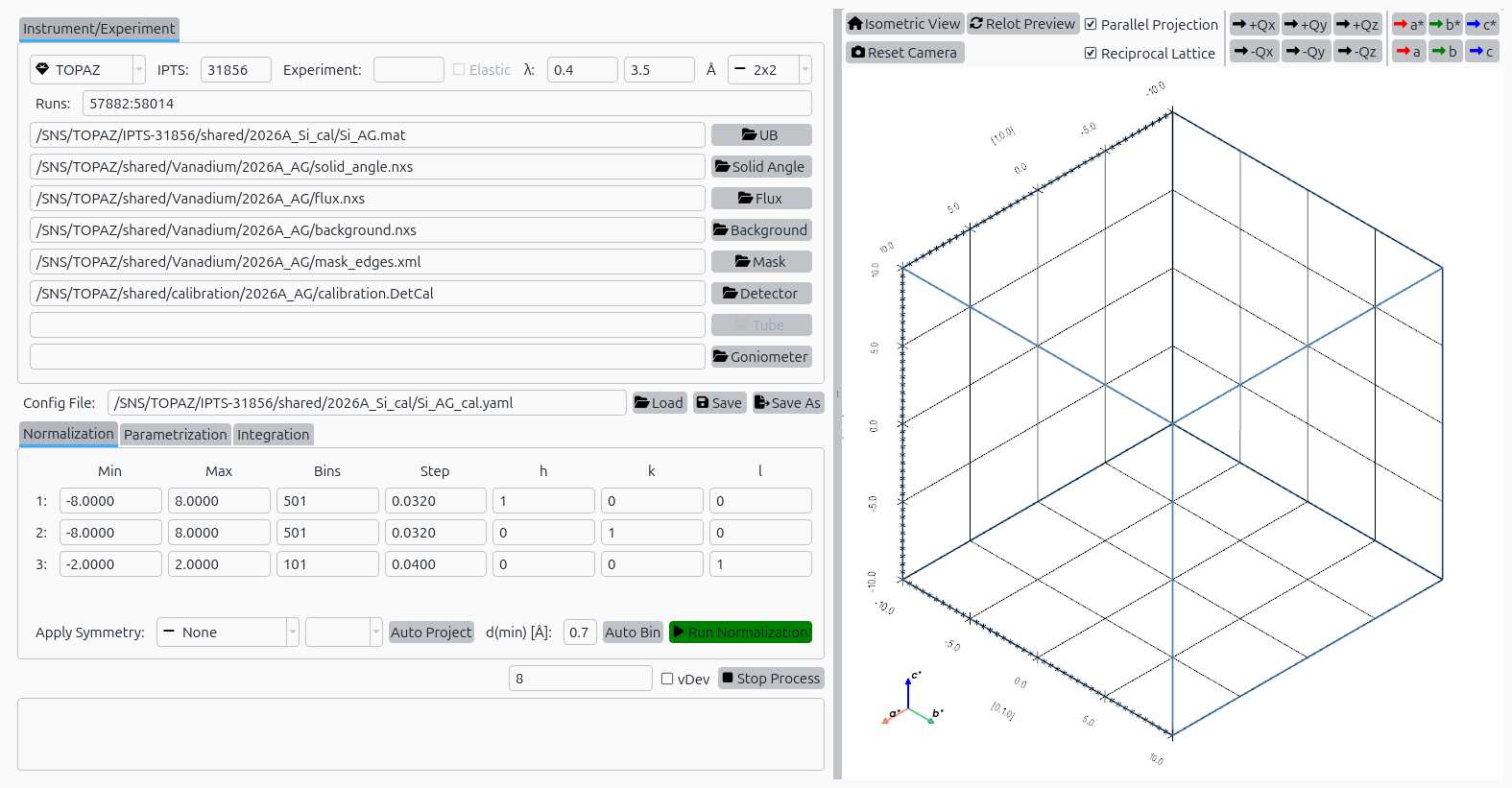
Normalization tab with Silicon configuration loaded.#
Step 3: Parametrization#
Switch to the Parametrization tab.
Review peak shape parameters for the instrument geometry.
Click Run to fit peak profiles and determine parametrization.
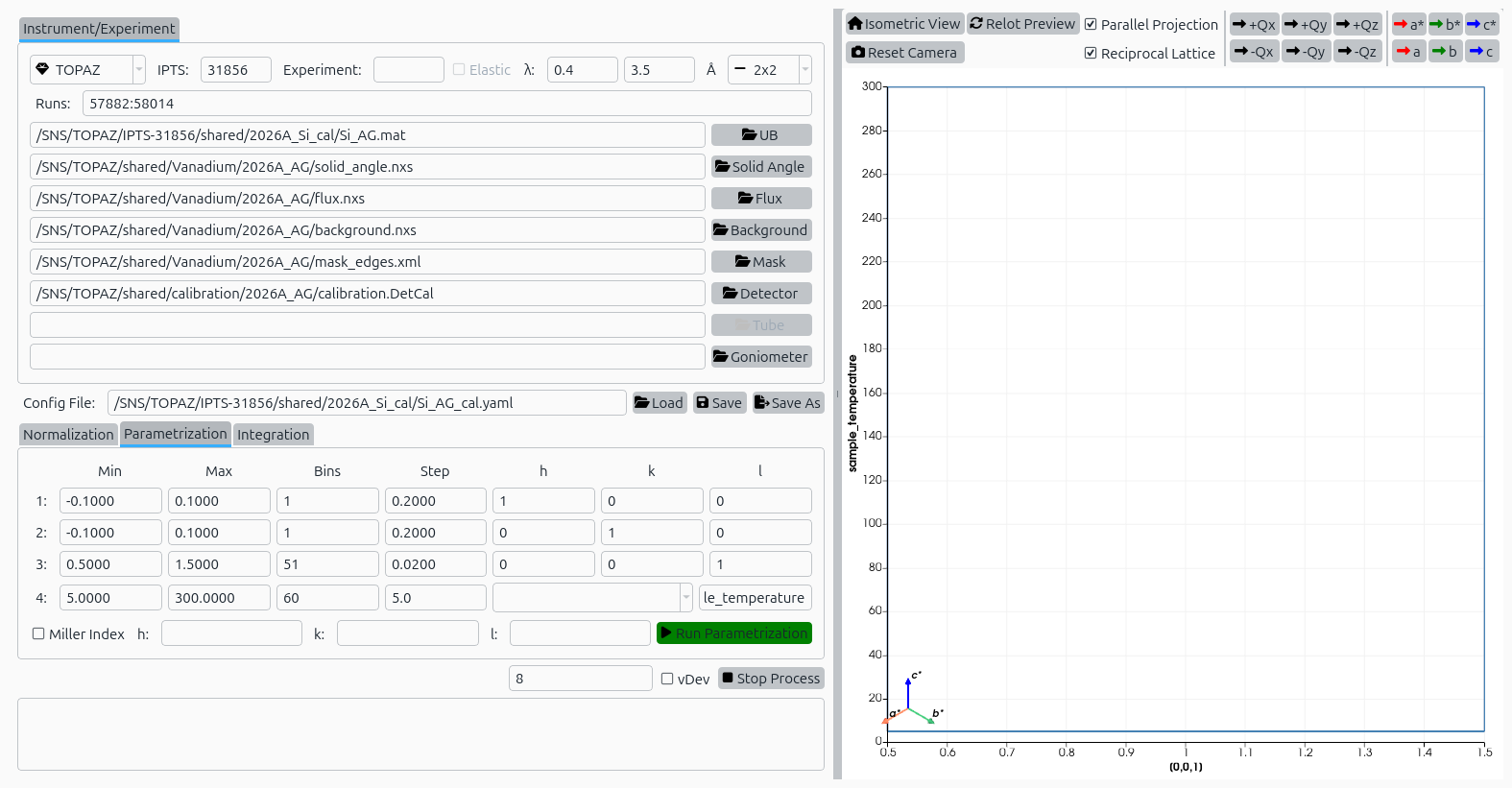
Parametrization tab with Silicon configuration loaded.#
Step 4: Integration#
Switch to the Integration tab.
Review the ellipsoidal integration parameters including peak radius, background shell, and projection settings.
Click Run to perform peak integration.
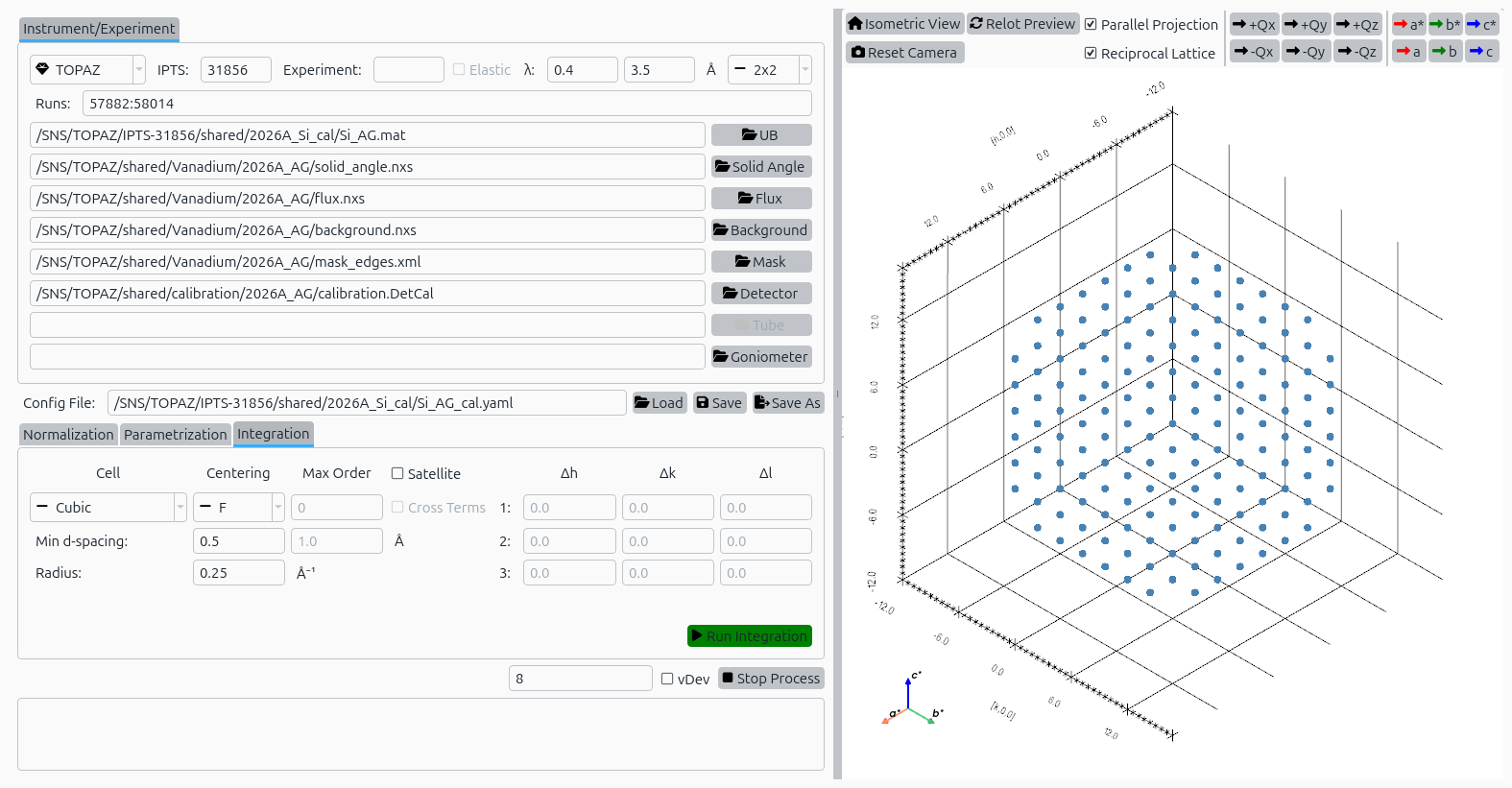
Integration tab with Silicon configuration loaded.#